🧊 Frozen Time · the runbook
01 / 17
🧊

One photo.
The camera flies.

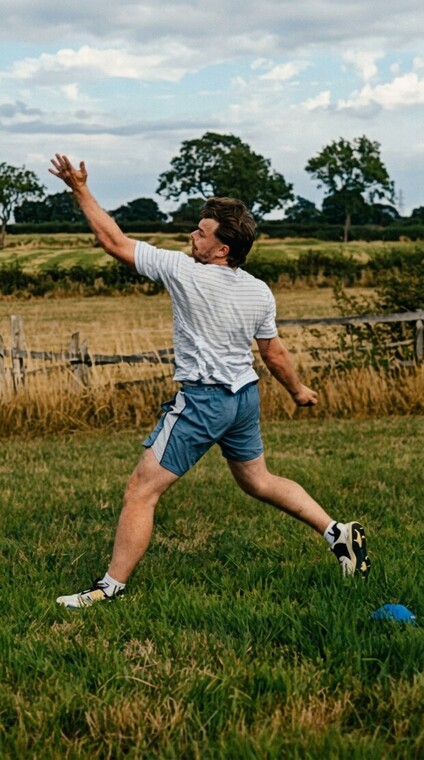
Every picture in this deck came out of one R117 folder. Nothing here is a mockup.
🎬  this is the thing
Six seconds, built from one still frame off a phone. Previews here are downscaled for the web — the pipeline ships 1080×1920.

Why you can't just do this in Premiere

📸
One flat photo
is all we ever shot
🚫
A camera can't move
inside a flat photo
🧱
So we rebuild him
in 3D first
That's the whole idea. Everything after it is plumbing.
🛠️  four tools · each one answers exactly one question
We only have one flat photo.
So how does a camera get behind him?
🗿
Meshy — a website. Drop a photo in, a 3D body comes out.photo.png → body.glb
The 3D body is grey clay.
So how does clay become a camera move?
🎬
Blender — free 3D app. We put a camera in and fly it round him.body.glb → guide.mp4 (grey)
The move is still grey clay.
So how does it become real?
🎨
Seedance, on Higgsfield — AI video. Grey clip = the movement. Photo = the look.guide.mp4 + photo.png → real.mp4
Three tools, scripts, money gates.
So who drives all that?
🤖
Claude — writes the Blender script, talks to both services, blocks any spend until you approve it.you type one line per step
🔗  the whole thing, in four pictures
Each arrow is one command. The grey clip never ships — it exists only to teach the AI the camera move.
ACT 1 🗿  give him a body
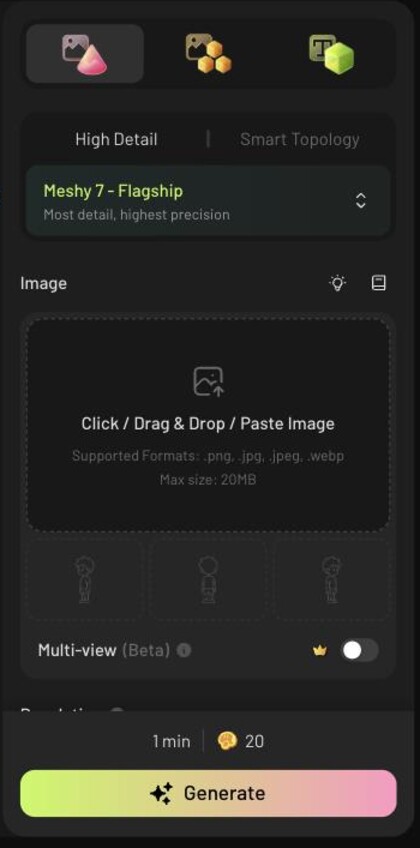
Meshy's image-to-3D panel with the photo drop zone and Meshy 7 Flagship selected
1.  drag the photo in
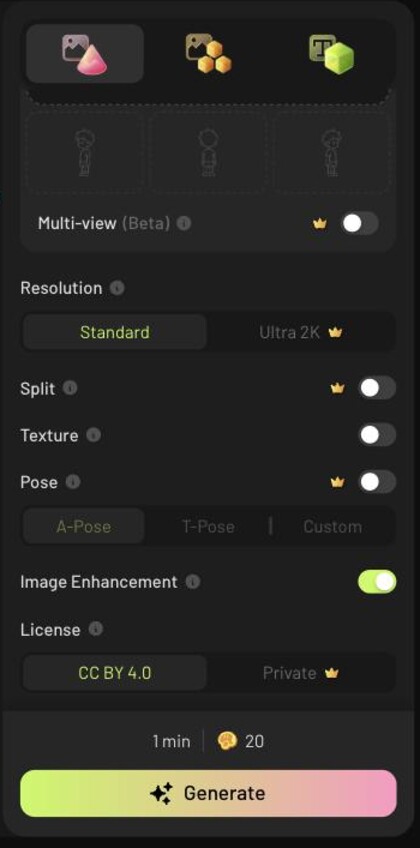
Meshy's settings column showing resolution, texture and the Pose toggle
2.  press Generate · ~1 min
That's the entire tool. meshy.ai → Image to 3D.
⛔  the one switch that ruins the whole shot
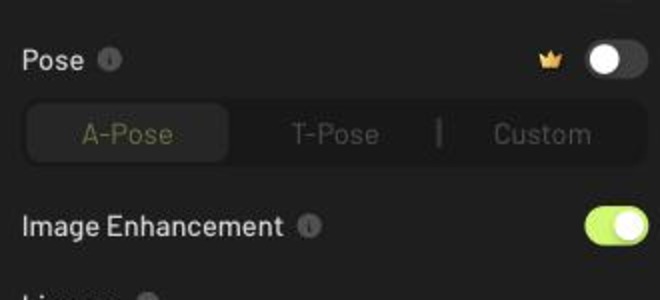
Meshy's Pose toggle switched off, with A-Pose and T-Pose greyed out

Leave Pose off.

A-Pose or T-Pose straightens him into a shop mannequin. His lean is the lesson — straighten him and there's no shot left to make.
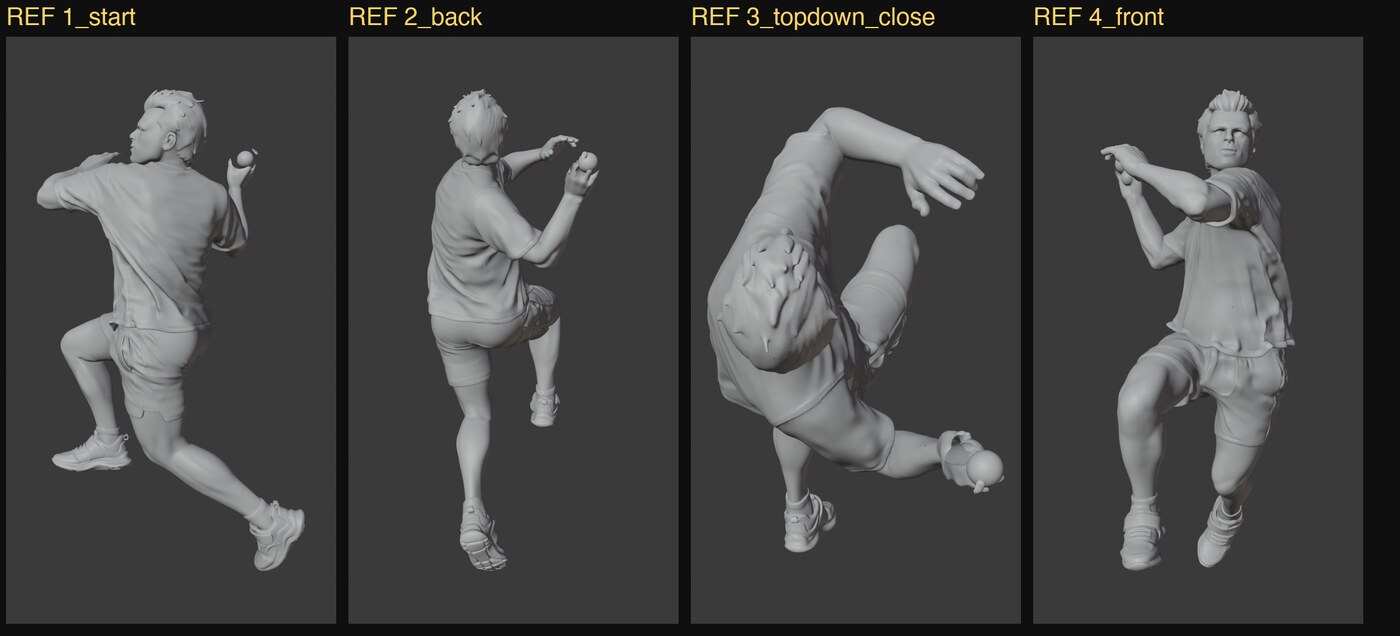
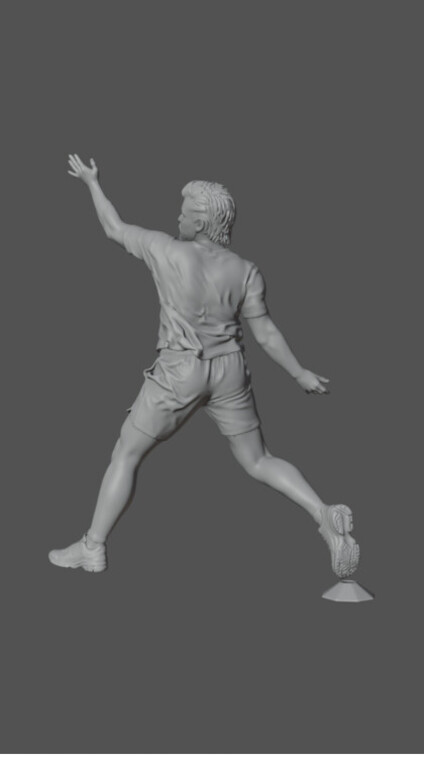
the resulting 3D body from four angles, pose intact, clean limbs and shoes
Left alone, it holds up: clean limbs, separate fingers, kit folds, real shoes. Only the side the photo saw is real — the far side is invented, and that's fine.
ACT 2 🎯  park the camera exactly where the phone was
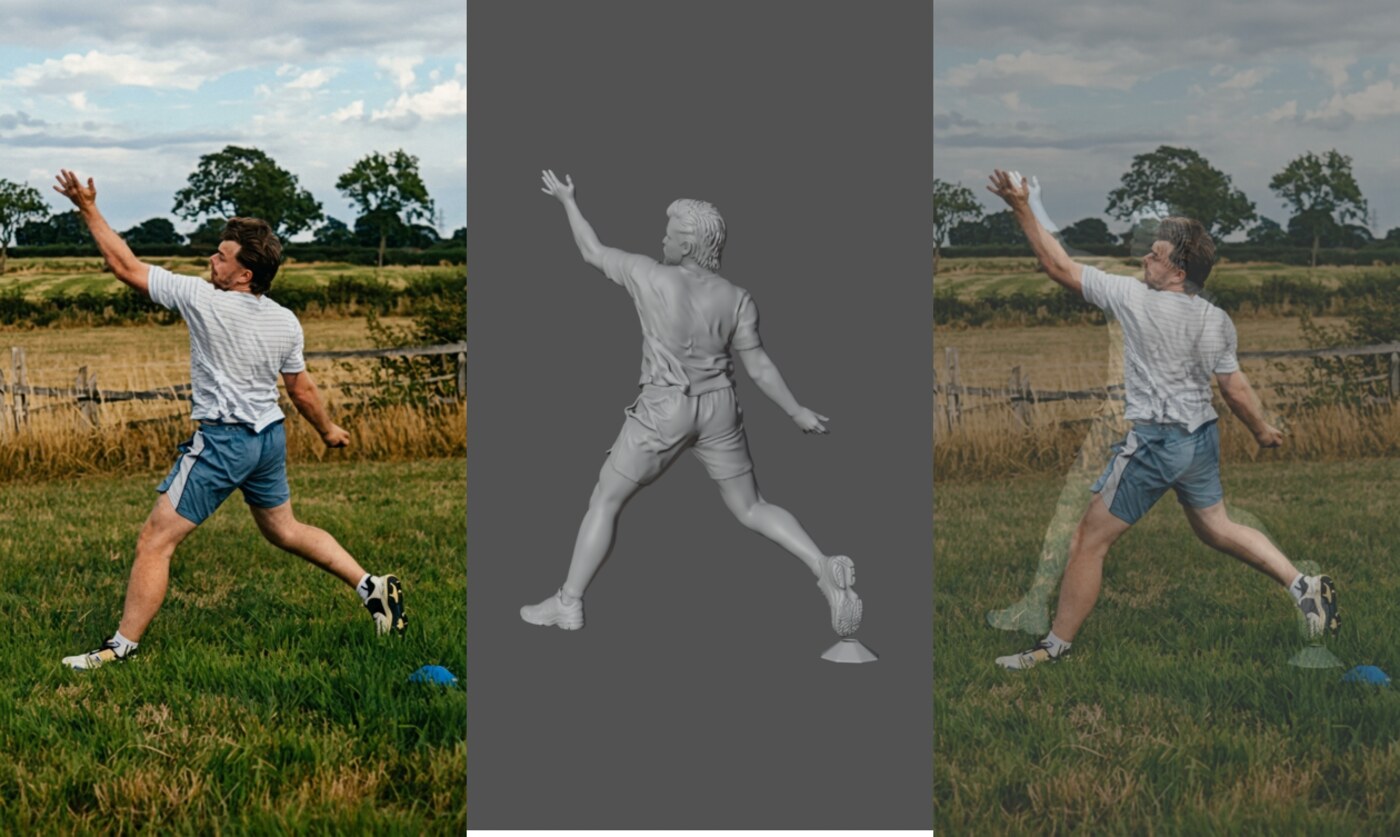
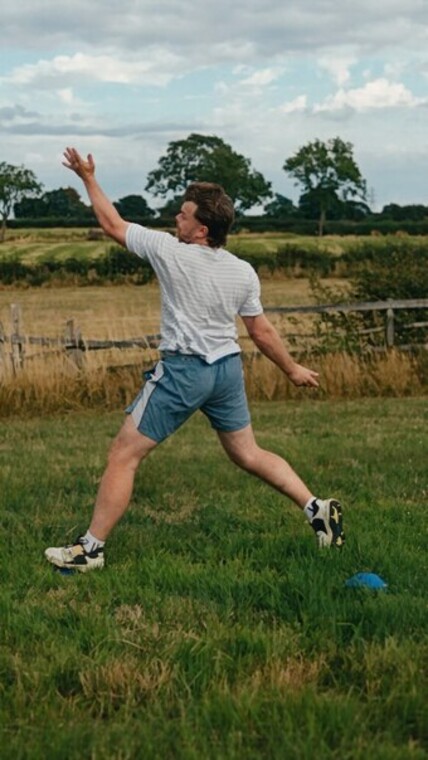
three panels — the photo, the 3D body, and the two overlaid in register

Frame one has to match the photo.

That's what lets you cut into the shot without anyone noticing the join.
Claude measures it rather than eyeballing it — render the outline, measure the box, nudge, repeat. It landed on 123°. The eye had guessed 145°.
ACT 2 🧭  then you pick where it flies
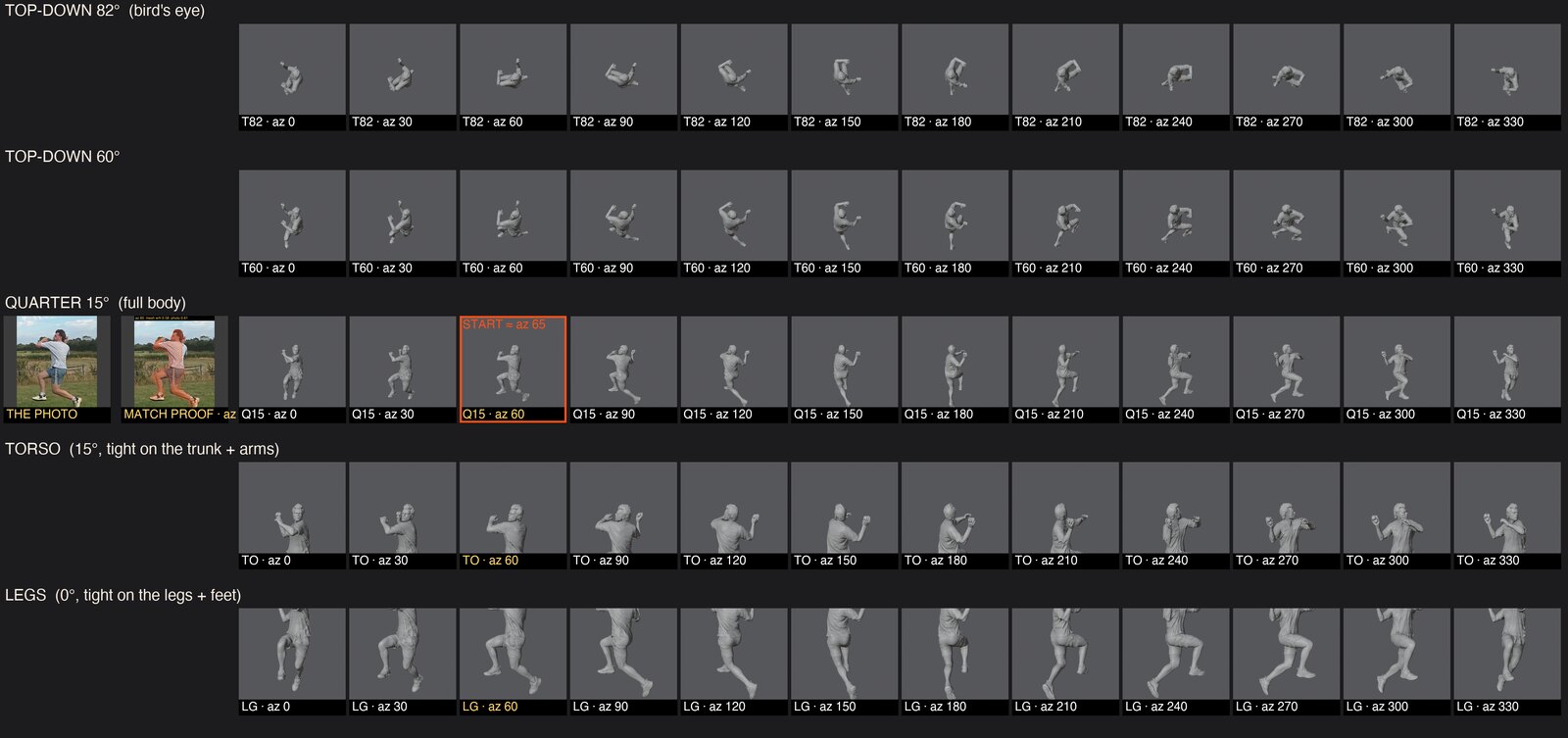
a board of 60 rendered angles with the photo and match proof inline and the chosen angle ringed in orange

Every angle, rendered free. Point at one.

Costs nothing, reruns as often as you like. This is the taste call — the machine doesn't get a vote.
🌍  the single biggest thing we learned
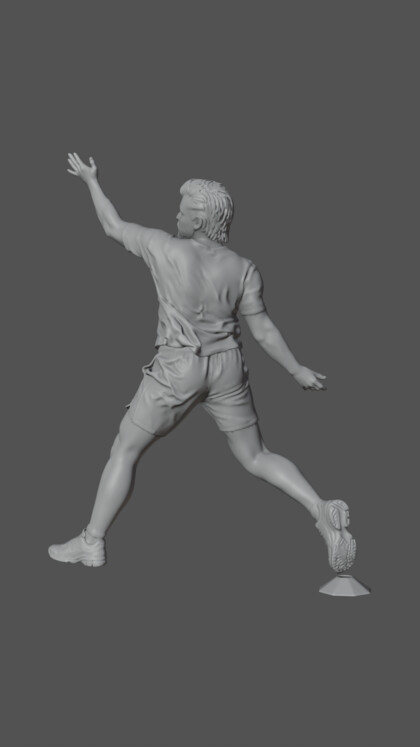
the 3D body floating in a flat grey void
❌  floating in grey
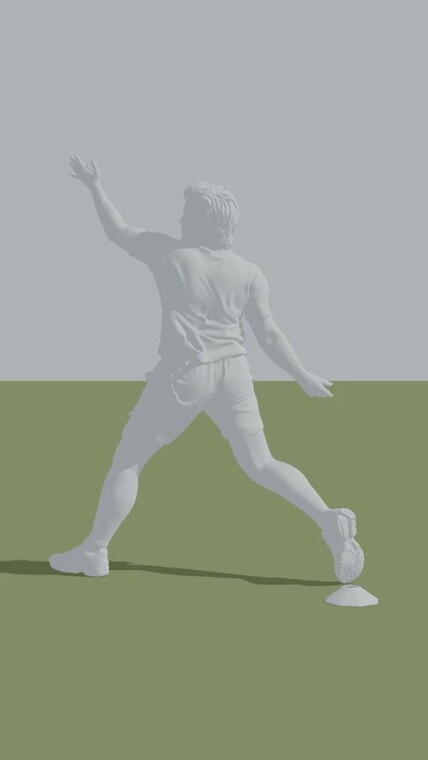
the same body on a huge ground plane with a real cast shadow
✅  on ground, with a shadow

Give the AI a floor.

With only grey behind him, the AI decides he's spinning on a turntable. Give it ground and a shadow and it understands the camera is the thing that's moving.
ACT 3 🎨  two things in, one thing out
+
🗿
Never say "statue" to it. That word means marble and bronze, and it turns him to stone. Say "frozen in time".
↩️
Never tell it what you don't want. "No camera movement" fails. "The camera remains still" works.
🦅  and it holds, the whole way round
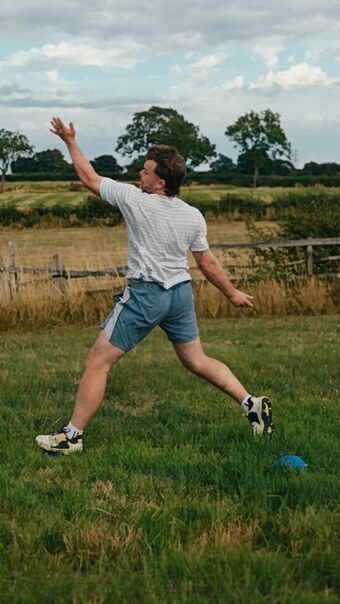
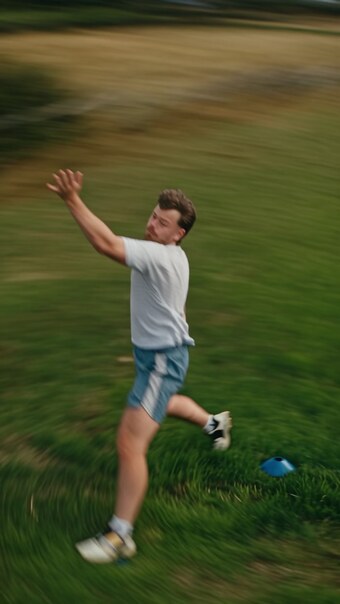
beat one, side on, matching the photo
🧊cuts off the tape
beat two, mid-whip with real motion blur
💨real motion blur
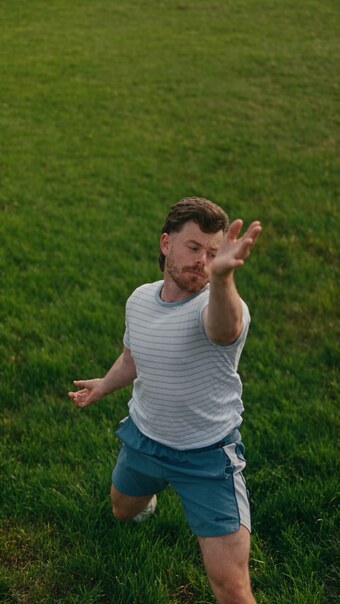
beat three, round to the front, low and close
👤round the front
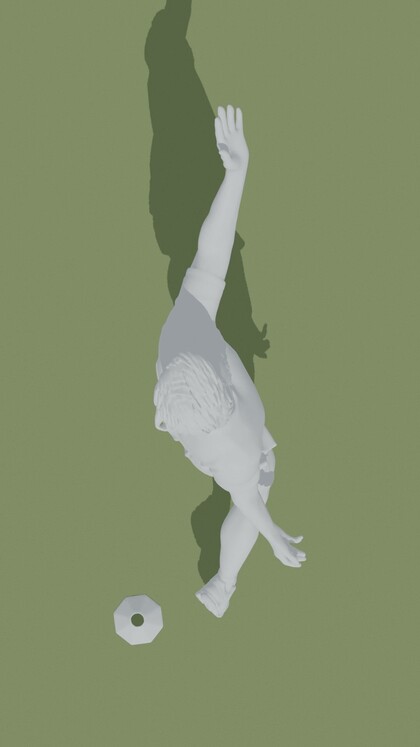
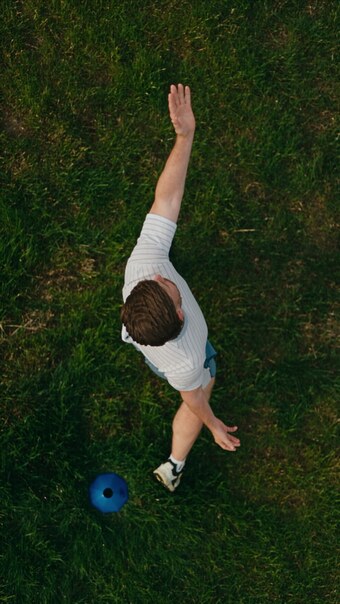
beat four, straight down from overhead
🦅straight overhead
Grass, fence, trees, cone — all invented as the camera arrives, all photoreal, all moving correctly.
✍️  bonus round · how your arrow marks got into the shot
1
the 3D body rendered from the four beat angles, clean, no arrows
🔄 You spin the body and stop on the four views the camera will hit
2
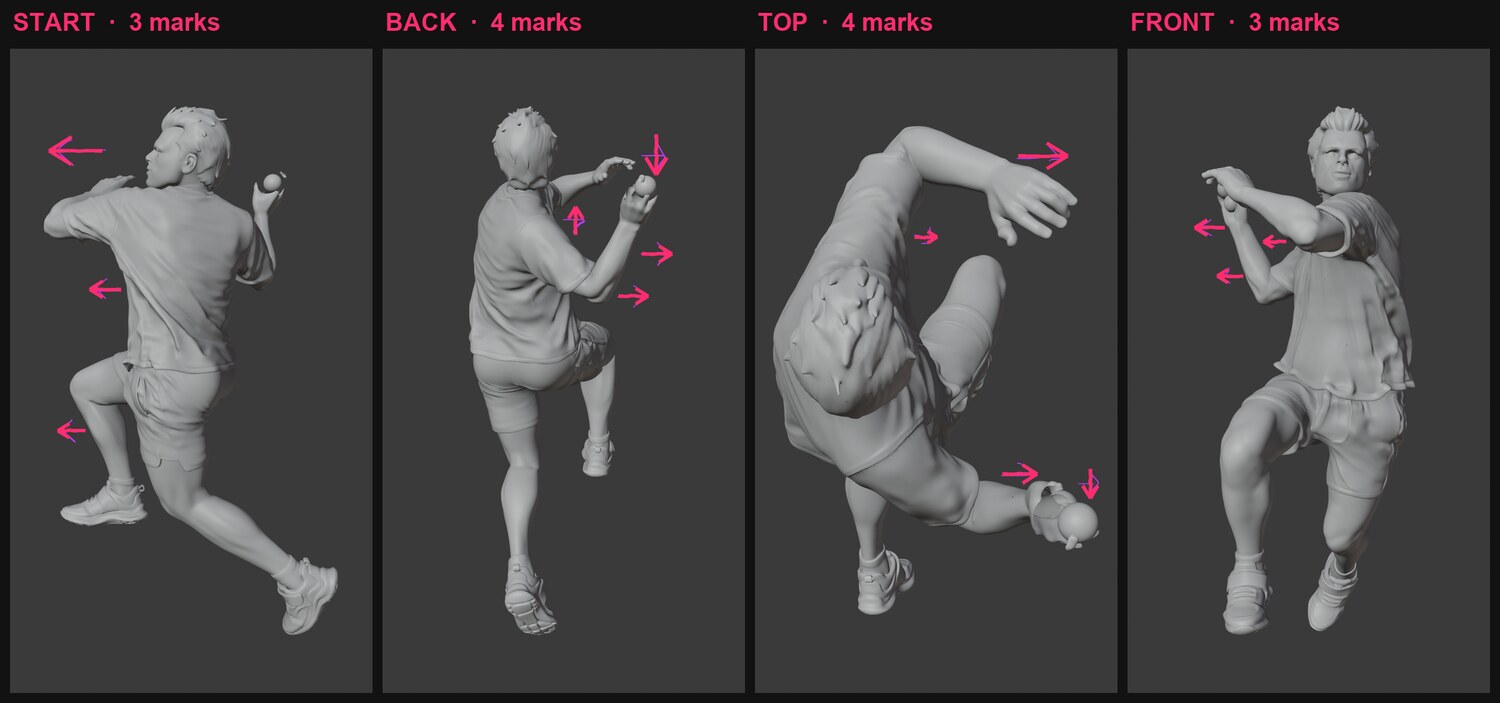
the same four views with fourteen hand-drawn arrow marks on the body
✍️ You paint the marks on — 14 of them, by hand, on the stills
3
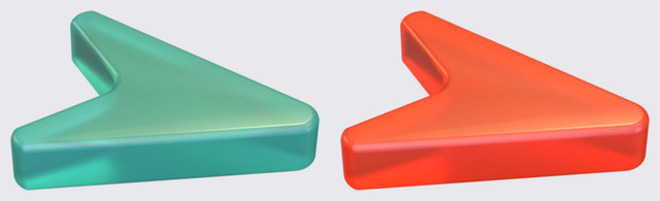
the two approved frosted glass arrows, teal and orange
🧊 Each mark is rebuilt as a real frosted-glass arrow in the 3D scene
4
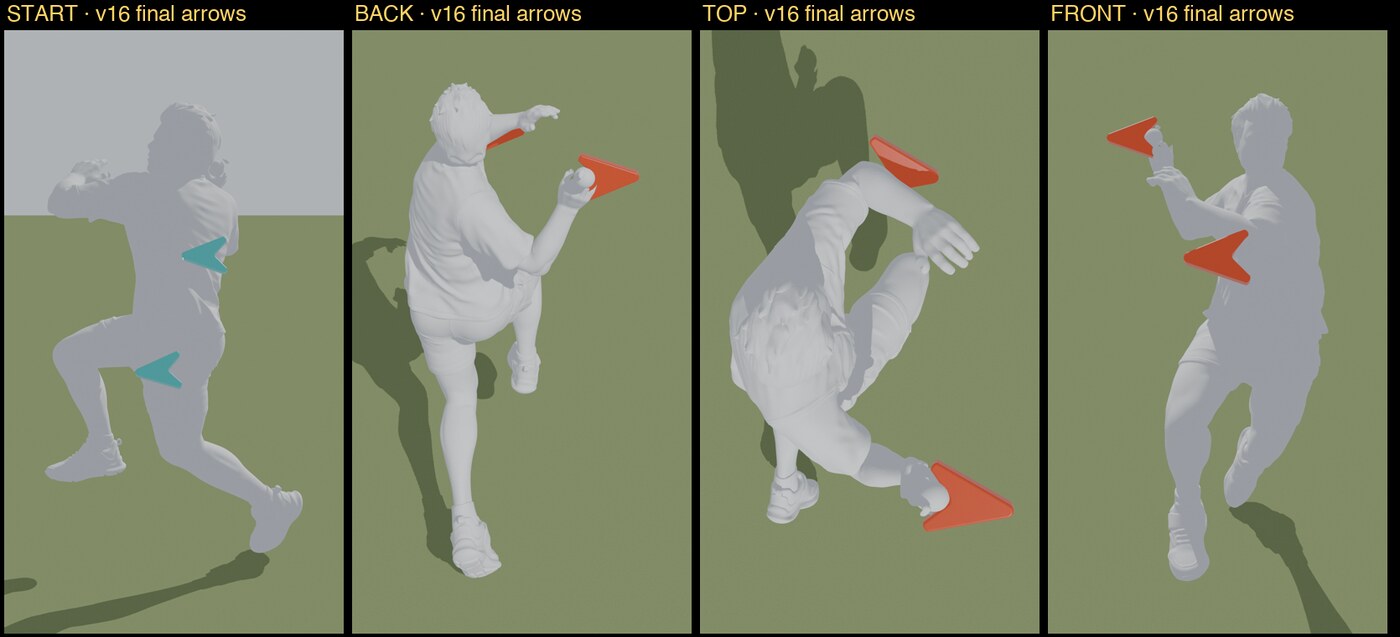
the grey guide render with the arrows in place, per beat
🎬 Animated into the guide — so the AI paints them in, not over
🎞️  and they turn with the camera
🧊
Frosted glass, brand colour, no glow. Teal = the body going ahead. Orange = the arms pulling back.
📌
They're objects in the scene, not a sticker on the screen — so they stay on the hand from every angle.
✌️
Two arrows per beat. Fewer, bigger.
🩹  what bit us · so it doesn't bite you
🕺
He re-poses in the first second. The trail leg draws in and he stands straighter than the tape. The lean was the lesson — this is the one worth chasing.
🏏
No ball in his hand. Fix the photo first — never ask the AI to invent a ball.
✂️
The front beat crops his legs. Blender warned us. We shipped it anyway.
⬆️
A soft photo makes a soft shot. Sharpen and clean the frame before anything else — house law.
🔒
Nothing spends without your say-so. Every paid step quotes the number first and refuses to run until you hand it back.
All three defects fold into one re-run.
🚀  your turn · say this to Claude
/frozen-time then hand it four things — which reel R118 the frame frame.png the coaching point "the sideways trunk lean" where he is in it a box round him
what actually costs moneycredits
🗿the 3D body35
🎨the finished six-second shot54
one shot, start to finish89
Everything in between — the angles, the camera move, the grey render — is free, and reruns as many times as you like.
📖  Every setting and every gotcha is in FROZEN_TIME.md — next slide, one click.
move  ·  esc all slides  ·  f or ⌃⌘F full screen